Catch

Product Strategy, UI/UX Refresh

A redesign of Catch’s core app experience, including a refreshed home screen, automated onboarding, and support for the platform’s first paid features

Go Back
Overview

As Catch evolved from a free tax and benefits product into one offering premium features, the app needed a UX and UI overhaul to support new logic, paid flows, and a smoother first-time experience. The goal: help users understand the product’s value faster, and simplify how they take action—especially around automation, rule-building, and account management.

Team

Kate Mook | Product Design

Zack Labaddie | Design Manager

Andrew Ambrosino | Founder, Head of Product

Kristen Anderson | CEO

Discovery & Strategy

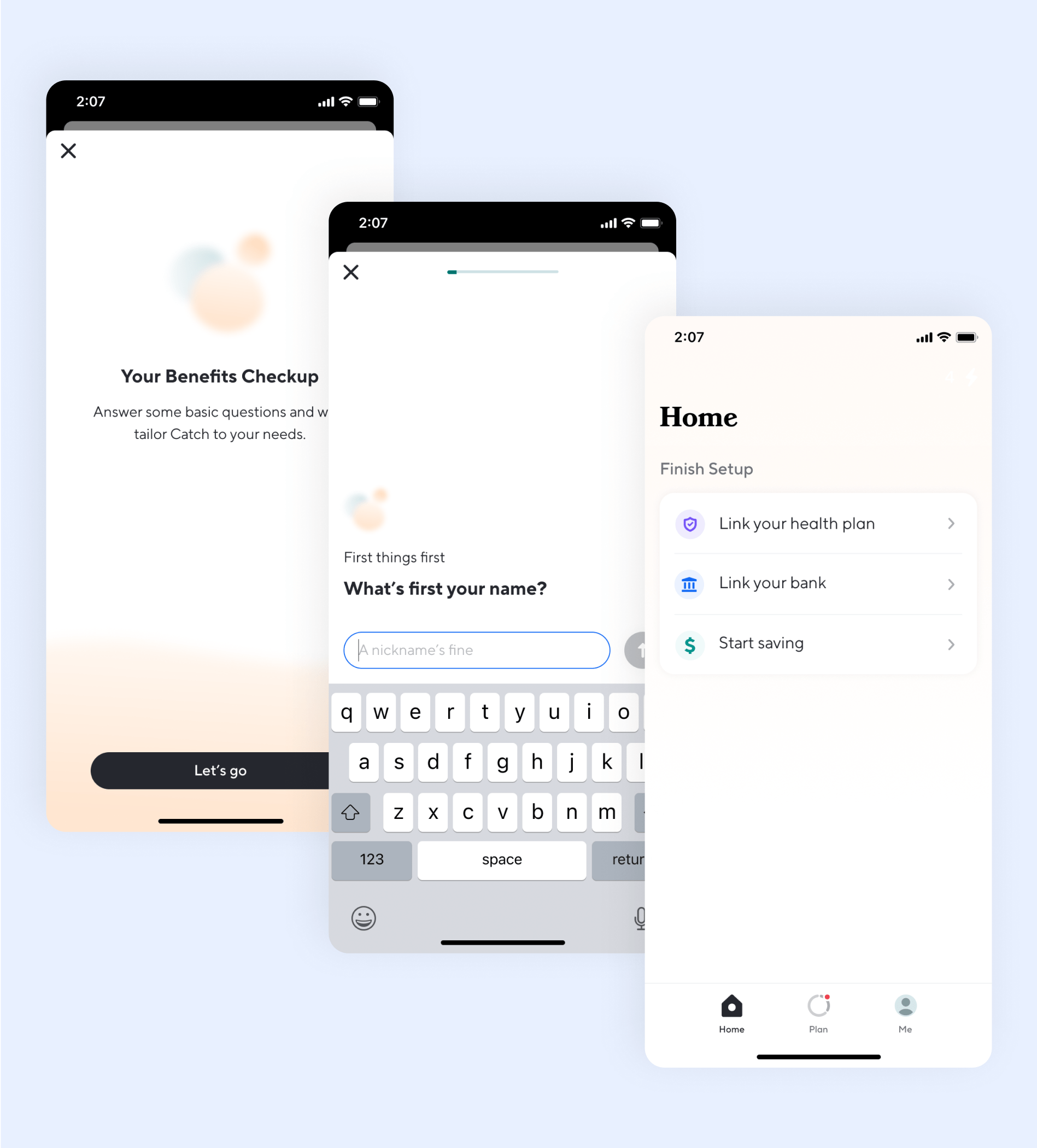
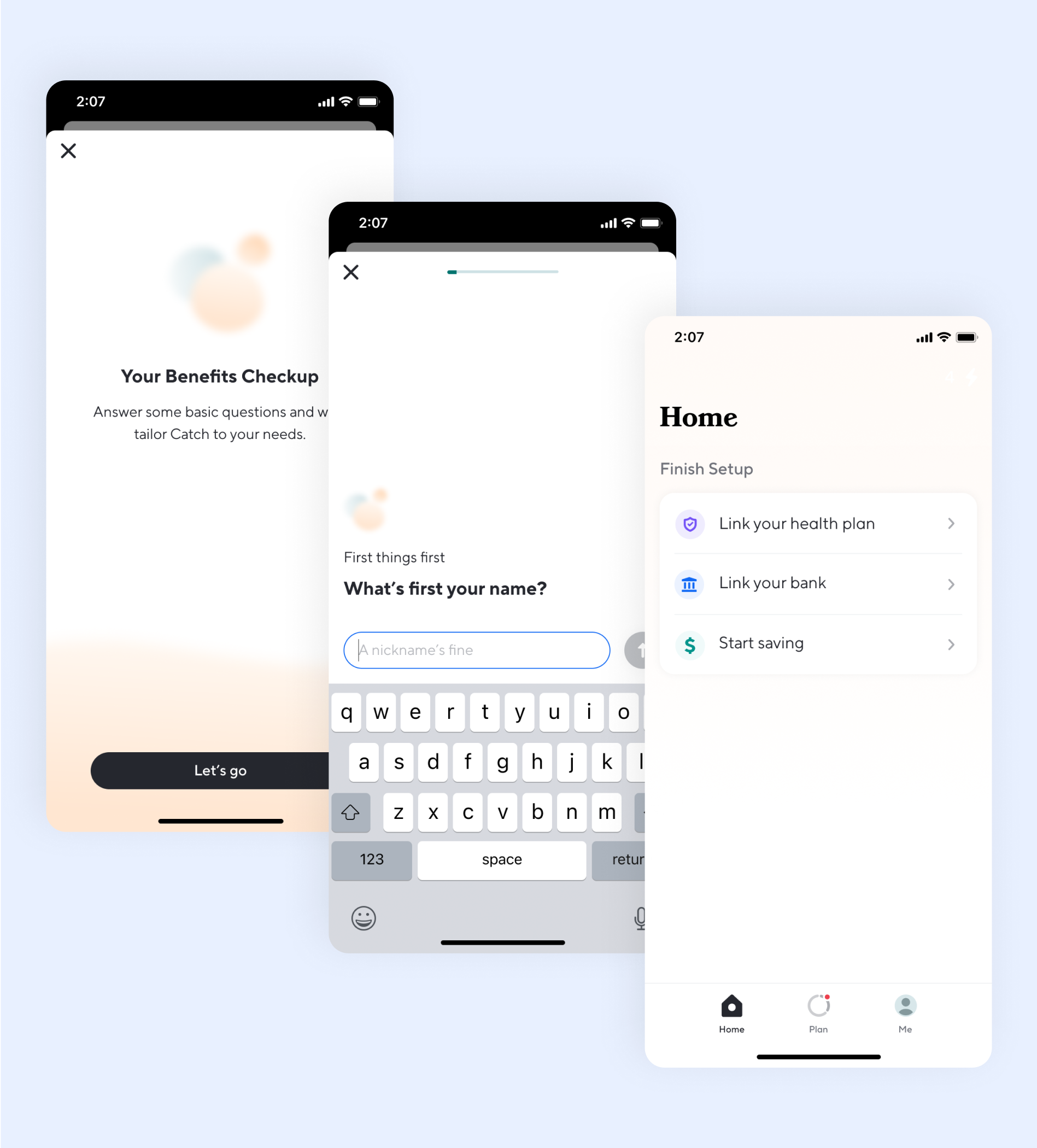
Insights from user sessions revealed moments of confusion and drop-off, particularly when activating Autopilot or navigating the home screen. We synthesized this data into clear onboarding milestones, persistent logic conditions, and interaction patterns that help users stay oriented and in control—even when behavior is automated.

Smarter Onboarding & Automation

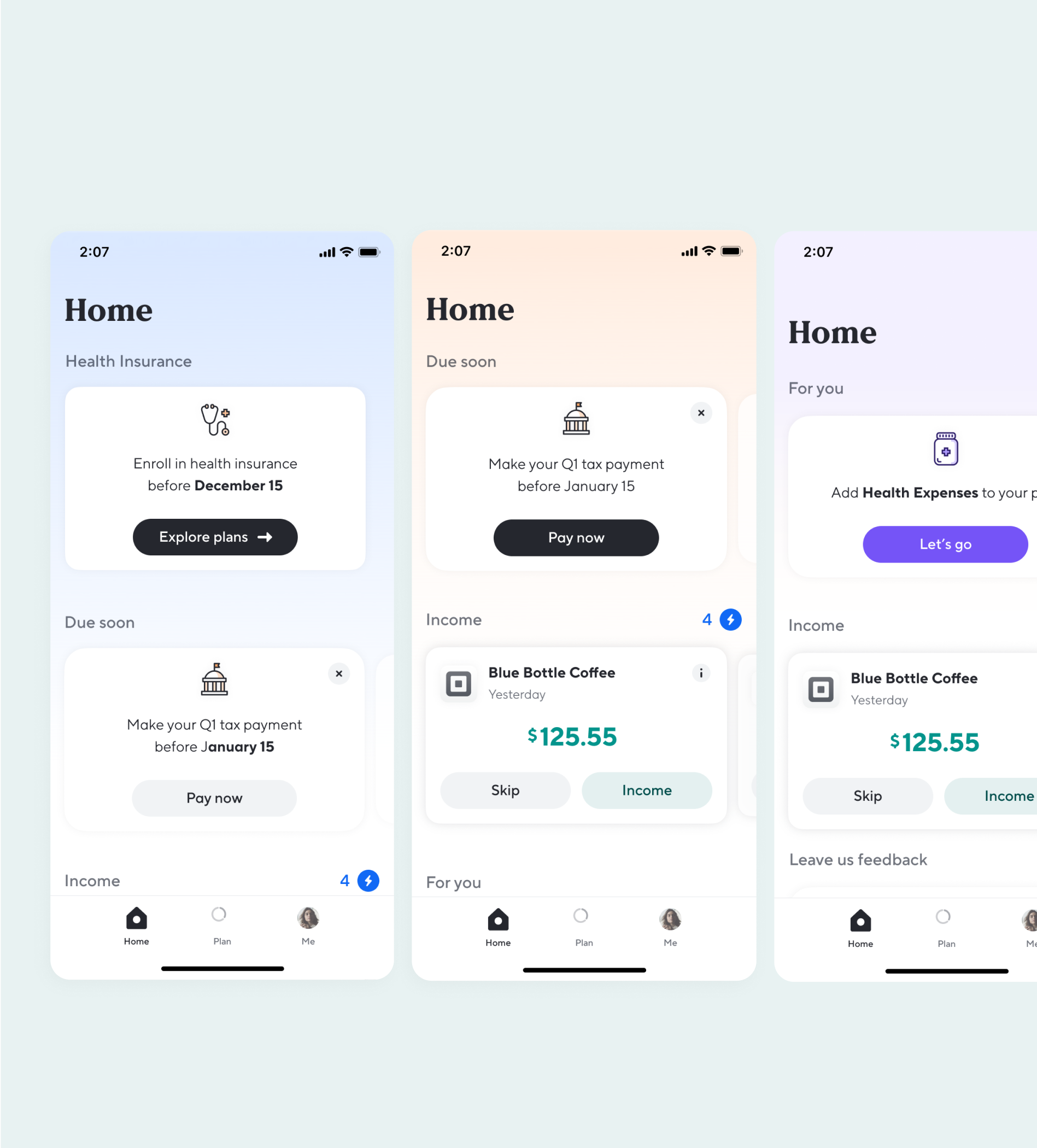
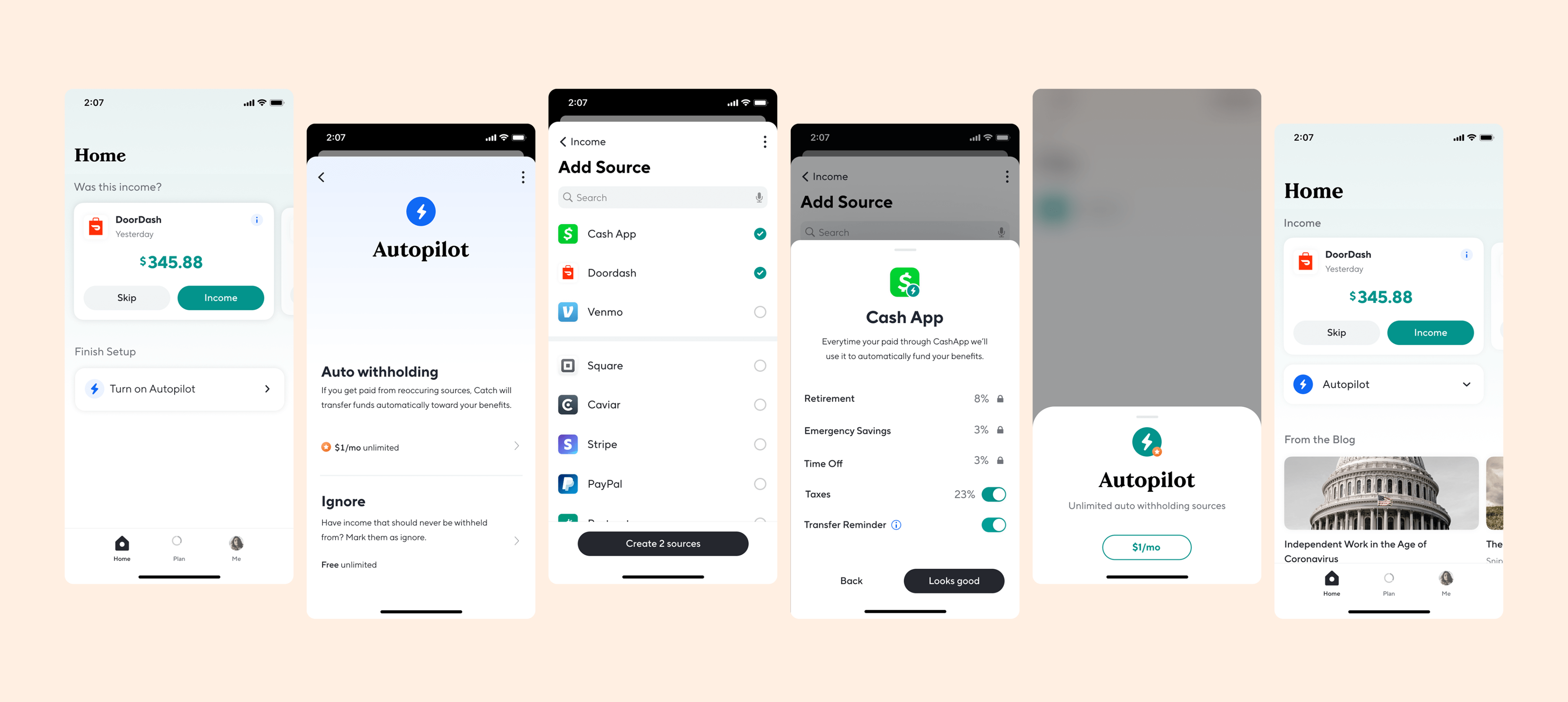
The redesign introduced clearer prompts, conditional nudges, and status indicators that support both first-time setup and reactivation. Autopilot became easier to find, understand, and adjust—without requiring users to dig into settings. Conditional logic ensured relevant information surfaced at the right moment, reducing overwhelm and guiding more confident decisions.

UI System Refresh

To support the growing product, we streamlined and standardized components across light and dark mode, including gradients, icons, and checklist behaviors. These visual updates made the app feel more coherent and polished, while simplifying development and scaling across features.

Laying Groundwork for Paid Features

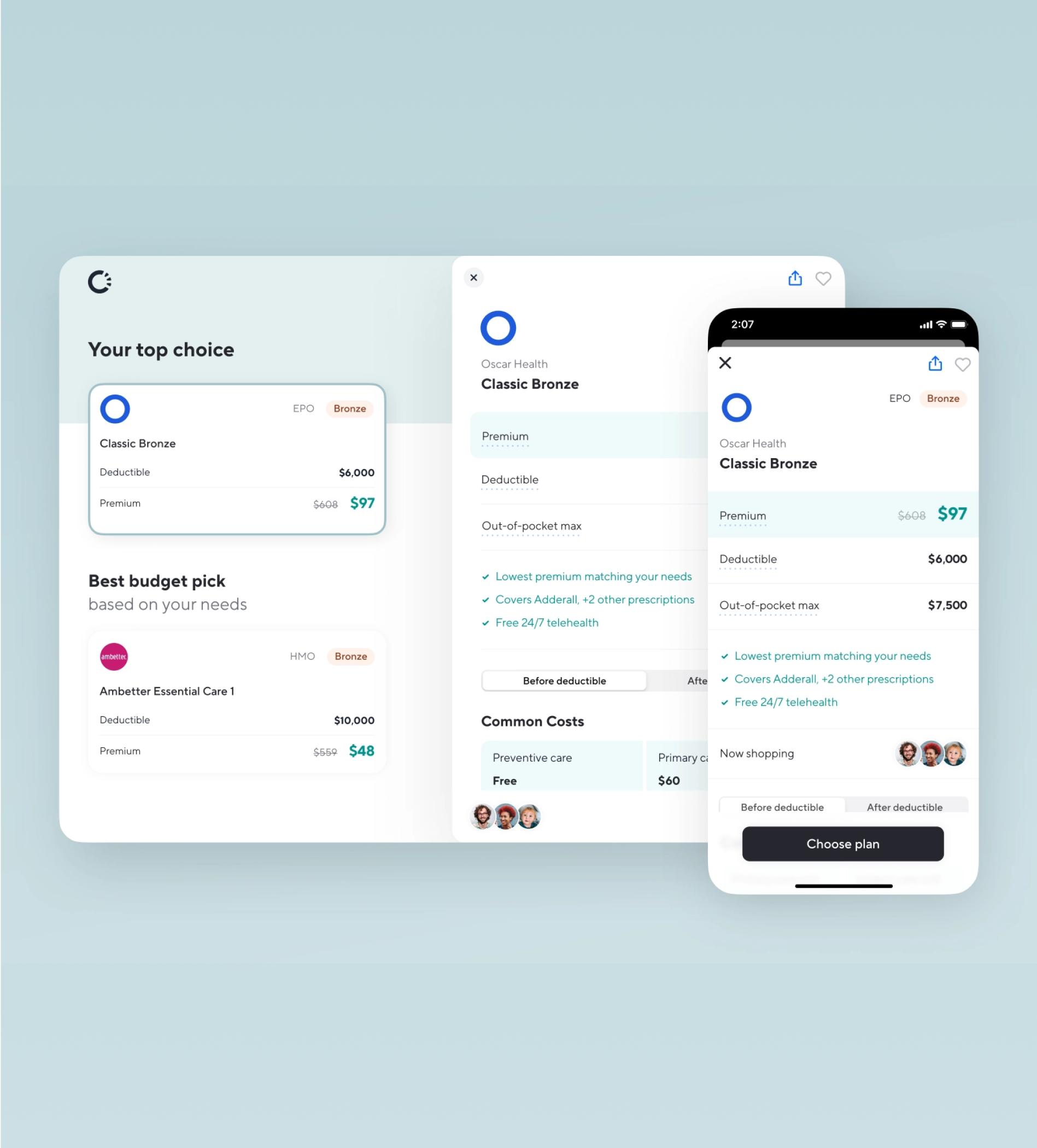
To support the growing product, we streamlined and standardized components across light and dark mode, including gradients, icons, and checklist behaviors. These visual updates made the app feel more coherent and polished, while simplifying development and scaling across features.

Catch

Product Strategy, UI/UX Refresh

A redesign of Catch’s core app experience, including a refreshed home screen, automated onboarding, and support for the platform’s first paid features

Go Back
Overview

As Catch evolved from a free tax and benefits product into one offering premium features, the app needed a UX and UI overhaul to support new logic, paid flows, and a smoother first-time experience. The goal: help users understand the product’s value faster, and simplify how they take action—especially around automation, rule-building, and account management.

Team

Kate Mook | Product Design

Zack Labaddie | Design Manager

Andrew Ambrosino | Founder, Head of Product

Kristen Anderson | CEO

Discovery & Strategy

Insights from user sessions revealed moments of confusion and drop-off, particularly when activating Autopilot or navigating the home screen. We synthesized this data into clear onboarding milestones, persistent logic conditions, and interaction patterns that help users stay oriented and in control—even when behavior is automated.

Smarter Onboarding & Automation

The redesign introduced clearer prompts, conditional nudges, and status indicators that support both first-time setup and reactivation. Autopilot became easier to find, understand, and adjust—without requiring users to dig into settings. Conditional logic ensured relevant information surfaced at the right moment, reducing overwhelm and guiding more confident decisions.

UI System Refresh

To support the growing product, we streamlined and standardized components across light and dark mode, including gradients, icons, and checklist behaviors. These visual updates made the app feel more coherent and polished, while simplifying development and scaling across features.

Laying Groundwork for Paid Features

To support the growing product, we streamlined and standardized components across light and dark mode, including gradients, icons, and checklist behaviors. These visual updates made the app feel more coherent and polished, while simplifying development and scaling across features.

Catch

Product Strategy, UI/UX Refresh

A redesign of Catch’s core app experience, including a refreshed home screen, automated onboarding, and support for the platform’s first paid features

Go Back

Overview

As Catch evolved from a free tax and benefits product into one offering premium features, the app needed a UX and UI overhaul to support new logic, paid flows, and a smoother first-time experience. The goal: help users understand the product’s value faster, and simplify how they take action—especially around automation, rule-building, and account management.

Team

Kate Mook | Product Design

Zack Labaddie | Design Manager

Andrew Ambrosino | Founder, Head of Product

Kristen Anderson | CEO

Discovery & Strategy

Insights from user sessions revealed moments of confusion and drop-off, particularly when activating Autopilot or navigating the home screen. We synthesized this data into clear onboarding milestones, persistent logic conditions, and interaction patterns that help users stay oriented and in control—even when behavior is automated.

Smarter Onboarding & Automation

The redesign introduced clearer prompts, conditional nudges, and status indicators that support both first-time setup and reactivation. Autopilot became easier to find, understand, and adjust—without requiring users to dig into settings. Conditional logic ensured relevant information surfaced at the right moment, reducing overwhelm and guiding more confident decisions.

UI System Refresh

To support the growing product, we streamlined and standardized components across light and dark mode, including gradients, icons, and checklist behaviors. These visual updates made the app feel more coherent and polished, while simplifying development and scaling across features.

Laying Groundwork for Paid Features

To support the growing product, we streamlined and standardized components across light and dark mode, including gradients, icons, and checklist behaviors. These visual updates made the app feel more coherent and polished, while simplifying development and scaling across features.